The Bikya Rider App.
For anyone who wants to rent a bike or scooter from a local rental shop. Verify your driving licence once, see every price and rule before you book, pay in the app and ride.
Download Rider AppAndroid · free to download · iPhone not supported yet
What it does
- Licence verified onceYour driving licence is checked one time in the app; after that you just book. You can only book bikes your licence allows.
- Prices and rules up frontHourly and daily price, the refundable deposit, km limit, helmets, fuel rule and the shop’s pickup rules — before you pay.
- Book and pay in the appUPI, card or your Bikya wallet. The bike is held for 10 minutes while you pay.
- Extend from the appNeed more time? Add hours from your wallet while you’re out, if the bike is free after you.
- Deposit back in 48 hoursReturned the same way you paid, 48 hours after the shop completes the ride, minus any approved damage or late fee.
- Wallet and help built inRefunds can land in your wallet straight away. Chat with Bikya support from the app.
Screenshots
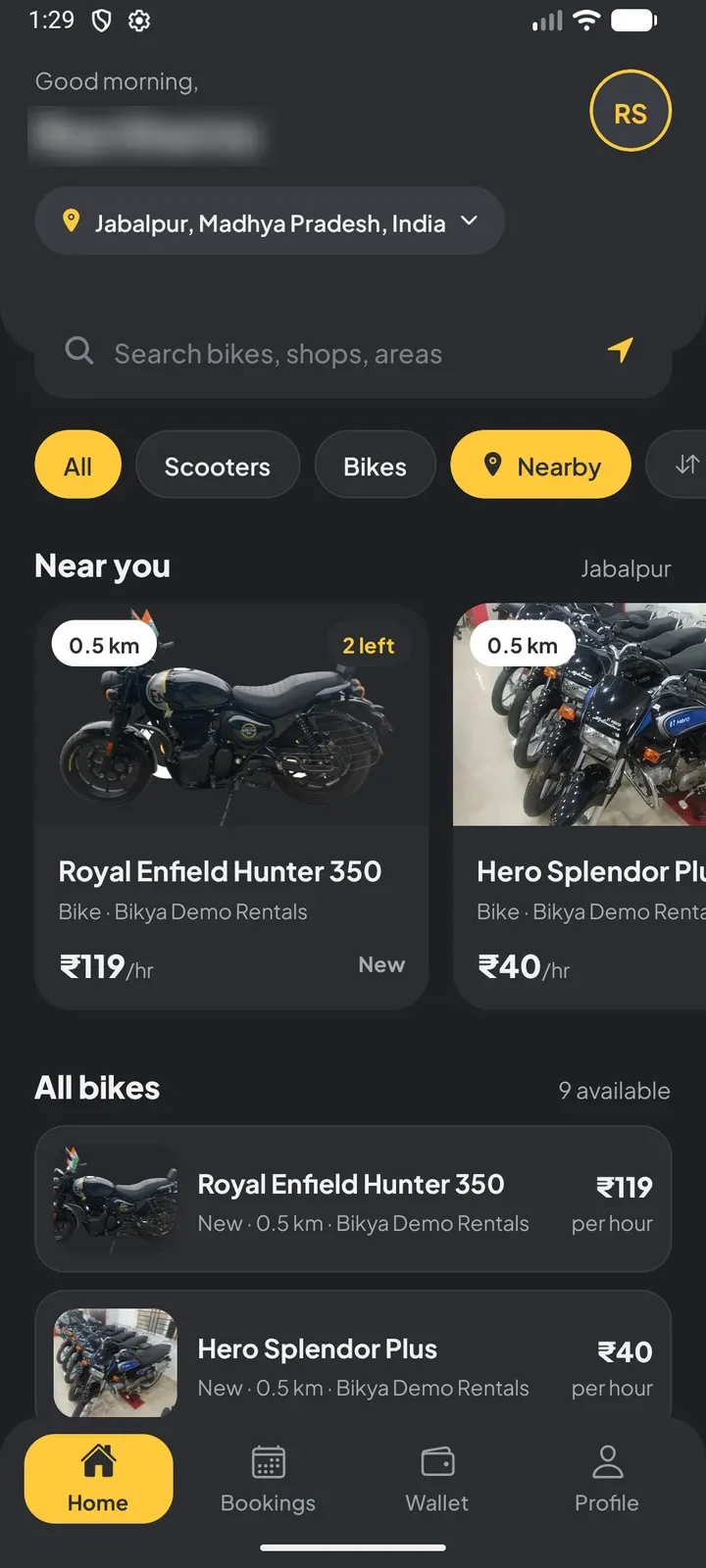
Bikes near you
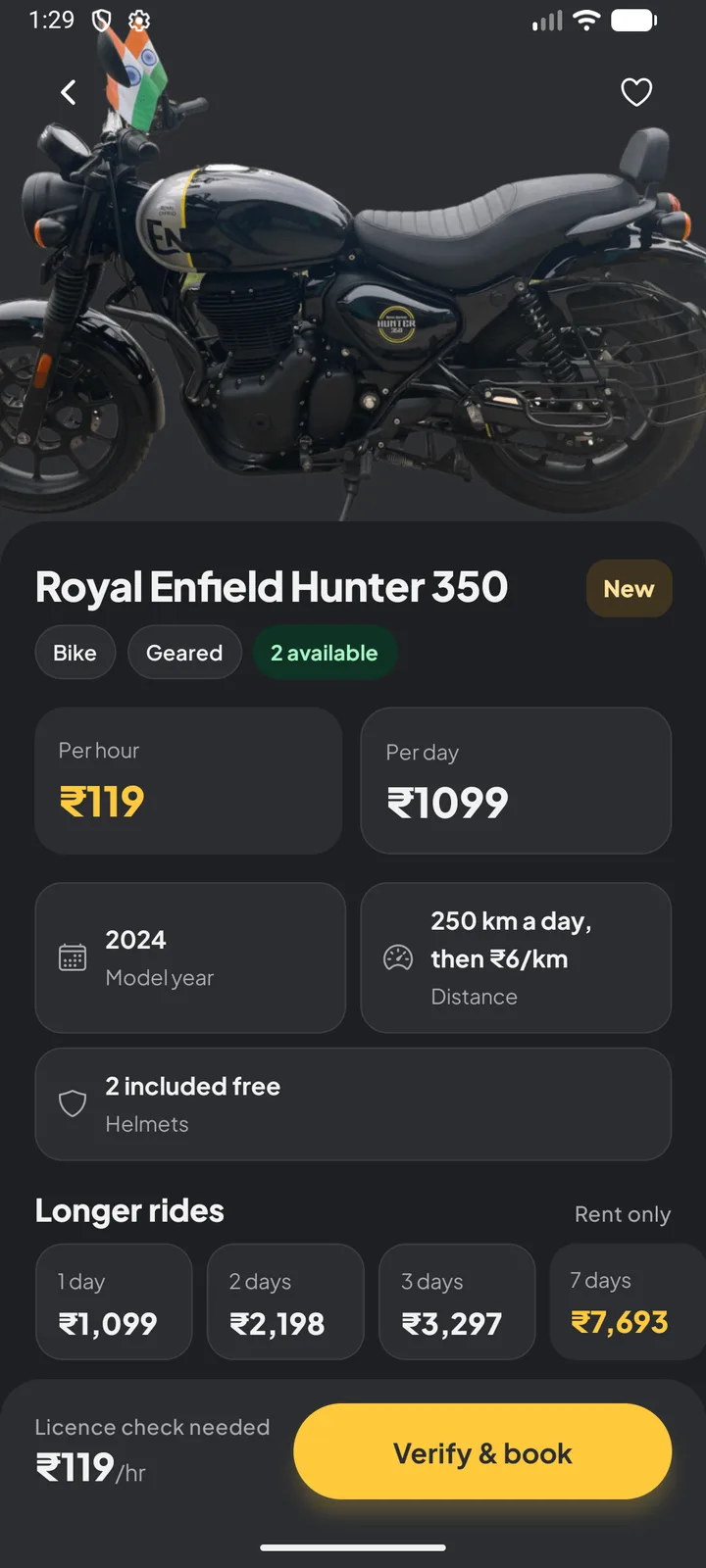
Every detail up front
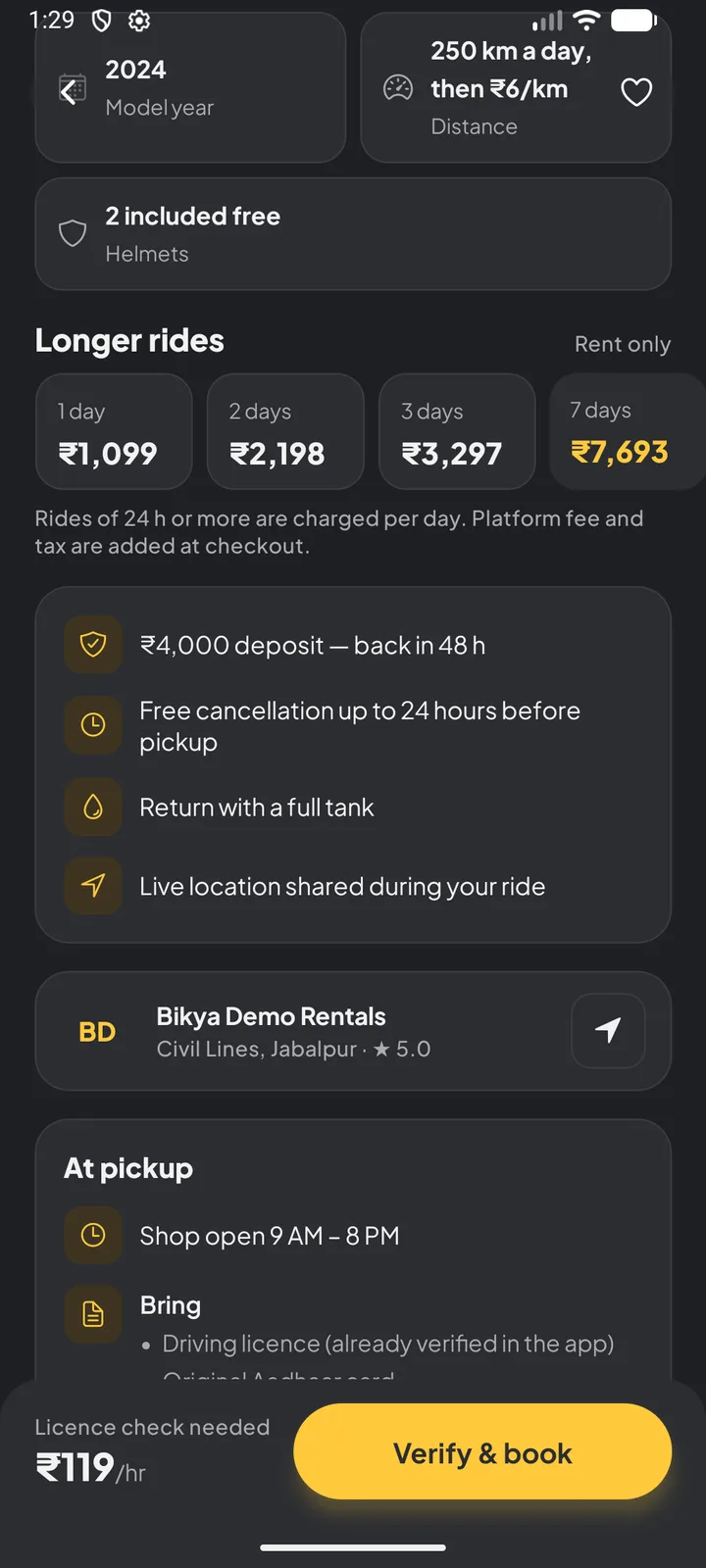
Clear rules before you book
How it works
- Sign up and verify your licenceCreate an account with your email, add your phone and an emergency contact, and verify your driving licence.
- Pick a bike and your timesChoose pickup and return times; the price, deposit and rules are shown before you pay.
- Pay to confirmPay within 10 minutes and the booking is confirmed. You’ll get a reminder before pickup.
- Pick up, ride, returnThe shop takes pickup photos to start the ride. End the ride in the app when you bring it back; the shop takes return photos and completes it.
How to install it
- On an Android phone, tap “Download Rider App”. The app is an APK file from this website; it isn’t on an app store yet.
- When the download finishes, open the file from your notifications or Downloads.
- If Android asks, allow your browser to install apps, then tap Install.
- Open Bikya Rider App and sign up with your email — you’ll get a code to confirm it.
Tapping download starts the file; it doesn’t install anything by itself. If the download doesn’t start, contact us.
Permissions and privacy
| Permission | Why the app asks |
|---|---|
| Camera and photos | To upload your licence if you verify it by photo, and to add photos when you contact support. |
| Location (while riding, if you turn it on) | Shares where the bike is during an active ride with the shop and Bikya, for safety. It stops when the ride is completed; ride locations are deleted after 30 days. |
| Location (once, when you tap “near me”) | To show bikes near you. |
| Notifications | Booking confirmations, pickup and return reminders, refunds and messages from Bikya. |
Each permission is asked for only when you use the feature that needs it. How Bikya handles your data is in the Privacy Policy.
Help
Questions about the app? See the answers, chat with Bikya from inside the app, or contact us. Looking for the other app? Partner App for rental shops.