The Bikya Partner App.
For bike rental shops and bike owners. List your bikes and scooters with your own prices and rules, hand them over to licence-checked riders who have already paid, and see every ride and payout in one place.
Download Partner AppAndroid · free to download · iPhone not supported yet
What it does
- Your prices, your rulesHourly and daily price, deposit, km limit, helmets, weekend extra, long-ride discounts and your late-return fee.
- Riders checked and paidRiders verify their driving licence and pay in full before pickup. You see their licence status at handover.
- Bookings and calendarSee today’s pickups and bikes out on rides. Close a bike for servicing or any dates you choose.
- Photo check-in and check-outPickup photos start the ride; return photos complete it. Report damage within 48 hours and Bikya decides from the photos.
- Earnings, ride by rideRent for every completed ride, your share of late fees and any damage awarded, and what Bikya owes you.
- Payouts to UPI or bankAdd your UPI ID or bank details; each payout is listed with its transfer reference.
Screenshots
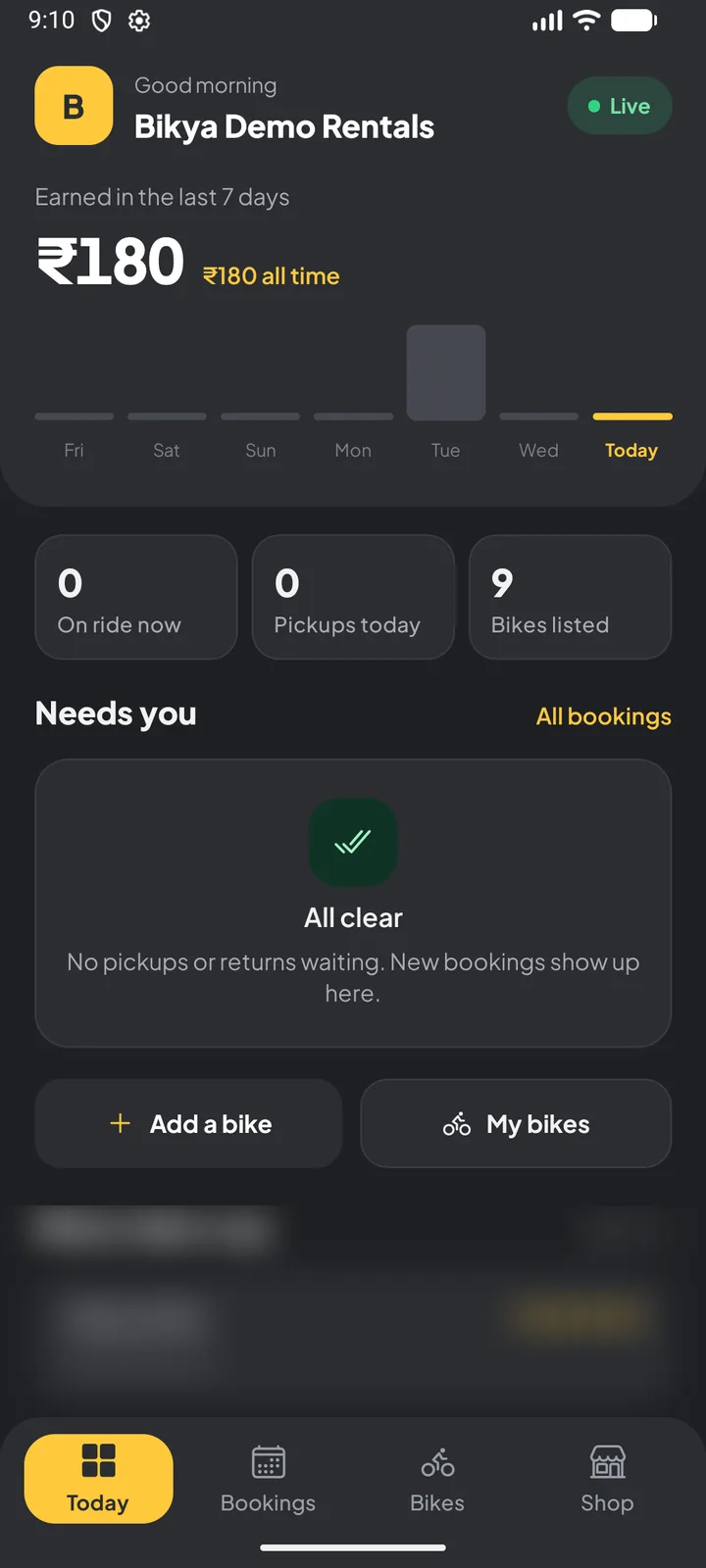
Your shop at a glance
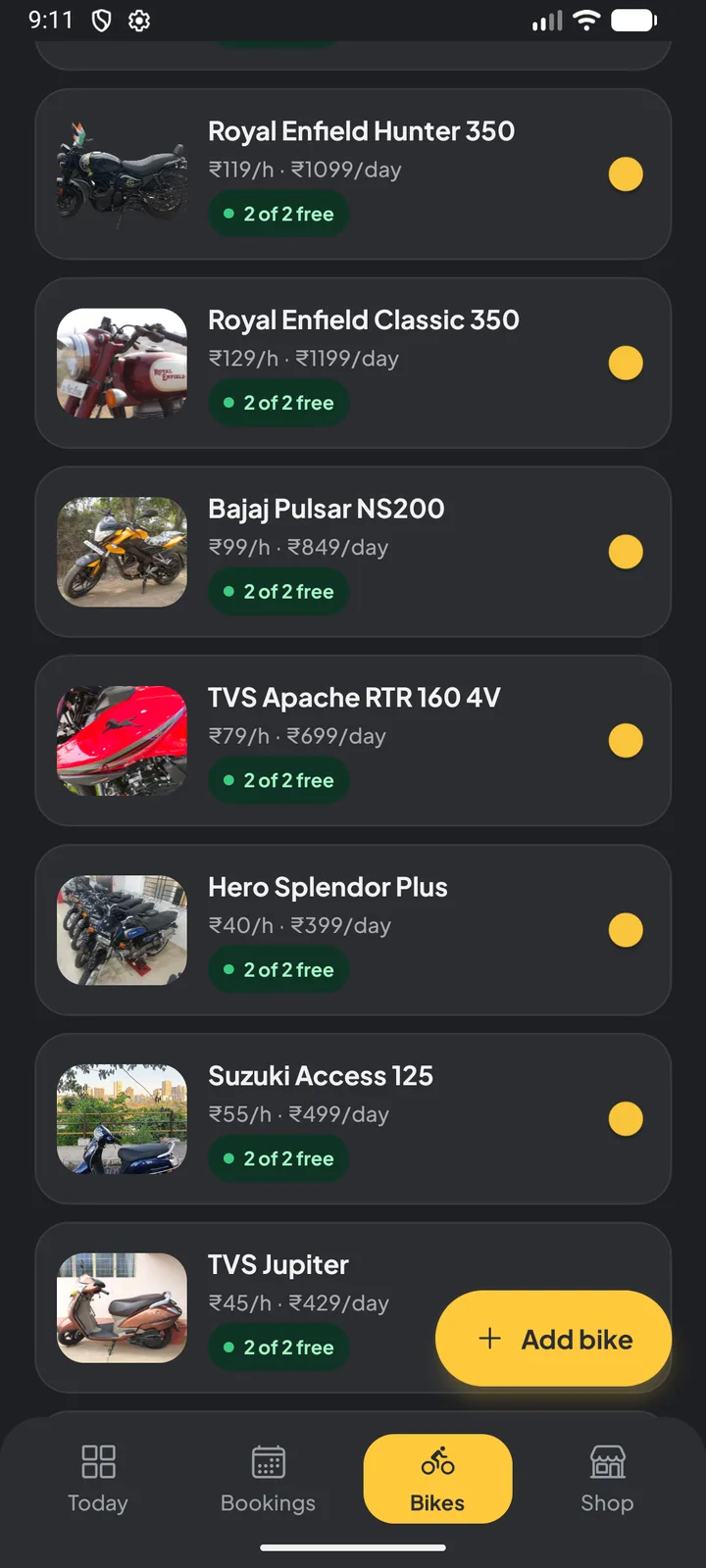
Manage every bike
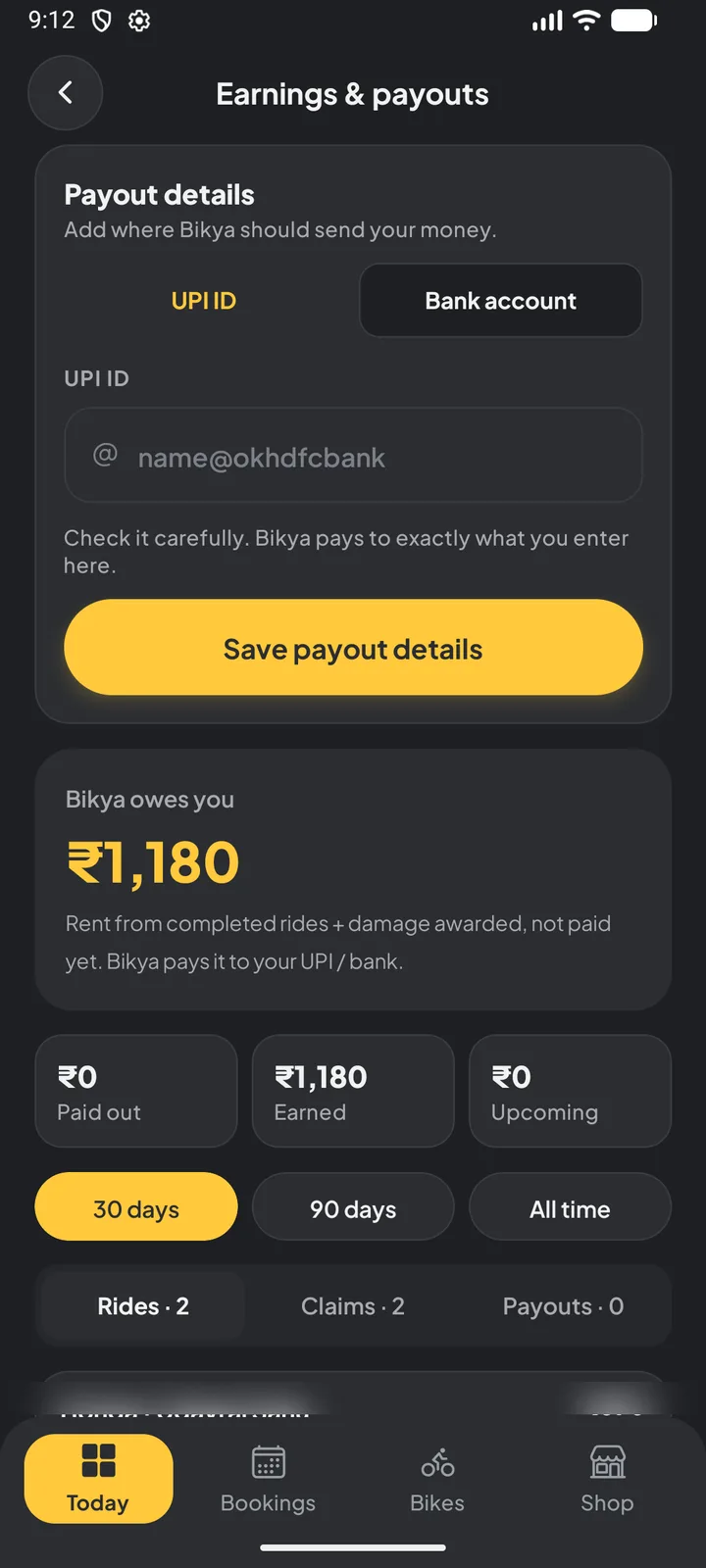
Earnings, ride by ride
How it works
- Sign up and add your shopCreate an account with your email and add your shop’s name, contact, pickup address and hours. Bikya reviews the shop.
- List your bikesAdd each bike with 1 to 8 photos, prices, deposit and rules. Each bike is reviewed before riders can book it.
- Hand over and take backTake pickup photos when the rider collects the bike and return photos when it comes back.
- Get paidYour earnings build up ride by ride; Bikya pays them to your UPI or bank account.
How to install it
- On an Android phone, tap “Download Partner App”. The app is an APK file from this website; it isn’t on an app store yet.
- When the download finishes, open the file from your notifications or Downloads.
- If Android asks, allow your browser to install apps, then tap Install.
- Open Bikya Partner App and sign up with your email — you’ll get a code to confirm it.
Tapping download starts the file; it doesn’t install anything by itself. If the download doesn’t start, contact us.
Permissions and privacy
| Permission | Why the app asks |
|---|---|
| Camera and photos | Bike photos for your listings, and pickup and return photos at handover. |
| Location (when you tap “use current location”) | To fill in your shop or bike’s pickup address on the map. |
| Notifications | New bookings, pickups due, rides ending, payouts and messages from Bikya. |
Each permission is asked for only when you use the feature that needs it. How Bikya handles your data is in the Privacy Policy.
Help
Questions about the app? See the answers, chat with Bikya from inside the app, or contact us. Looking for the other app? Rider App for people who want to rent.